

Top AI Tools for Removing Backgrounds in 2026

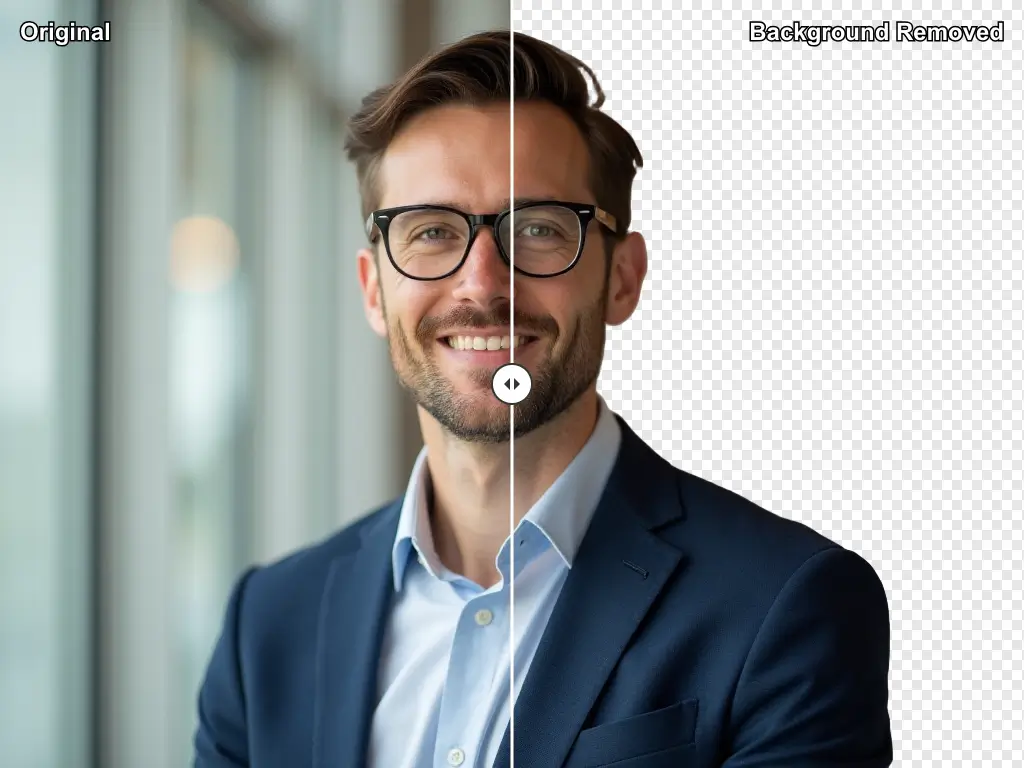
In 2025, removing a background from an image no longer requires Photoshop expertise or hours of careful masking. AI background removal tools have transformed this once-tedious task into a near-instant operation — delivering results that rival professional editors at a fraction of the cost.
Whether you’re preparing product photos for an e-commerce store, creating marketing content, or producing social media visuals, the right tool can save you hours every week. We tested the top six across speed, edge quality, batch processing, API access, and pricing.
Why AI Background Removal Matters for Marketers
Product photography is one of the highest-ROI investments a brand can make, but professional editing backlogs cost days. With AI-powered background removal, marketing teams can produce clean product shots, lifestyle composites, and transparent-layer assets in seconds — feeding directly into automated content pipelines.
💡 Pro Tip
If you’re running an e-commerce store with 500+ SKUs, prioritize tools with bulk processing and API access over a pretty UI. Time saved at scale matters more than individual image quality on a single asset.
The Top 6 AI Background Removal Tools
Tool 01
The gold standard — fast, accurate, and API-ready
Freemium
Remove.bg is the industry benchmark. Upload any image and receive a clean, transparent PNG in under 5 seconds. Its AI handles complex edges like hair and fur with remarkable precision. The API makes it ideal for automating product photography pipelines in tools like n8n or Make. Best-in-class for e-commerce and marketing agencies needing reliable, high-volume processing.
Pros
- Best edge detection — hair, fur, fine detail
- Fastest processing — results in under 5s
- Well-documented API for automation
- Trusted by 30M+ users globally
Cons
- Free tier limited to 1 low-res preview/day
- Credits-based — costs add up at high volume
- No built-in editing or background replacement
Tool 02
Background removal + full AI photo studio
Freemium
PhotoRoom goes beyond simple removal — it’s a complete AI product photography studio. After removing your background, apply AI-generated studio backgrounds, add realistic shadows, and relight your subject. Its mobile app is best-in-class for on-the-go product shots. Ideal for e-commerce sellers and social media creators who want a one-stop solution without hiring a photographer.
Pros
- Full AI photo studio — not just removal
- AI-generated backgrounds and shadow effects
- Excellent mobile app for on-the-go shoots
- Batch processing for high-volume workflows
Cons
- Free outputs include watermark
- AI backgrounds can look unrealistic on some subjects
- API less mature than Remove.bg
Tool 03
Background removal built into your design workflow
Freemium
Canva’s Background Remover is seamlessly embedded into its design platform. If you’re already using Canva for graphics, this is the most frictionless option — one click removes the background and you’re immediately in the design canvas. Quality is slightly behind Remove.bg on complex subjects but excellent for logos, portraits, and product shots used in social media.
Pros
- Instant access within the Canva design workflow
- No context-switching between tools
- Great for social graphics, presentations, logos
- Non-technical teams love the simplicity
Cons
- Weaker edge quality on complex hair/fur
- Requires Canva Pro ($15/mo) for full access
- No API for external automation
Tool 04
Powerful AI suite with background removal included
Freemium
ClipDrop bundles background removal with AI upscaling, relighting, inpainting, and image generation — all under one subscription. Built on Stability AI’s models, it delivers strong quality at competitive pricing. The developer-friendly API is well-documented, making it a great choice for agencies wanting a multi-purpose AI image toolkit that integrates cleanly into automated workflows.
Pros
- Multi-tool suite — removal, upscaling, relighting
- Clean developer API with good documentation
- 40 free images per month
- Strong quality on complex backgrounds
Cons
- Future uncertain following Stability AI changes
- UI less polished than Remove.bg or PhotoRoom
- Not ideal as a standalone tool
Tool 05
Enterprise-grade precision with Creative Cloud integration
Paid
Adobe Express integrates with the entire Creative Cloud ecosystem. Background removal is powered by Adobe Sensei AI and feeds directly into Photoshop, Illustrator, or InDesign workflows. If your team already pays for Creative Cloud, this is a no-brainer. The quality on fine details and translucent objects is exceptional, though slightly slower than browser-native alternatives.
Pros
- Seamlessly integrated into Creative Cloud
- Exceptional quality on fine/translucent edges
- Included in CC subscription — no extra cost
- Enterprise-grade reliability and support
Cons
- Requires active Creative Cloud subscription
- Slower than browser-native tools
- Overkill for teams outside the Adobe ecosystem
Tool 06
Mobile-first AI for creators and product sellers
Freemium
Pixelcut is purpose-built for mobile creators and small business owners selling on Instagram, TikTok, or Etsy. The background removal is fast and paired with a library of commercial-use backgrounds. Its batch magic feature processes multiple product images simultaneously — excellent value for solo entrepreneurs managing everything from their phone.
Pros
- Best mobile experience of any tool on this list
- Batch processing for multiple products
- Built-in commercial-use background library
- Affordable at $7.99/mo
Cons
- No desktop web app — mobile only
- No API for external pipeline integration
- Edge quality behind Remove.bg on complex images
Pricing Comparison 2025
| Tool | Free Tier | Paid Plan | API | Batch |
|---|---|---|---|---|
| Remove.bg | 1 preview/day | From $9/mo | ✓ | ✓ |
| PhotoRoom | Watermarked outputs | From $9.99/mo | ✓ | ✓ |
| Canva | Limited removals | $15/mo (Pro) | ✗ | ✓ |
| ClipDrop | 40 images/mo | From $9/mo | ✓ | ✓ |
| Adobe Express | 25 credits/mo | $10/mo (CC bundle) | ✗ | ✓ |
| Pixelcut | 5 free/day | From $7.99/mo | ✗ | ✓ |
Which Tool Should You Choose?
For API-driven automation at scale: Remove.bg. For complete product photography: PhotoRoom. For teams already in Adobe: Express. For mobile-first sellers: Pixelcut. For all-in-one design workflows: Canva.
The agencies seeing the biggest efficiency gains have connected background removal APIs directly into their content pipelines — automatically processing every product image the moment it’s uploaded, without a single manual click.
🏆 Editor’s Verdict
Best overall: PhotoRoom — quality background removal plus full AI photo studio.
Best for automation: Remove.bg API — most reliable for high-volume pipelines.
Best budget pick: Pixelcut at $7.99/mo — ideal for solopreneurs and small sellers.
Final Thoughts
AI background removal has matured into a commodity feature in 2025. What differentiates tools now is the surrounding ecosystem, API quality, and integration options. Invest in the tool that fits your existing workflow stack — not just the one with the most impressive demo.